How to install the Chamelio Word Add-in
Last updated: December 14, 2025
This guide explains the different ways to install the Chamelio Word Add-in, which is officially available through the Microsoft AppSource/Office apps store.
Installation Steps
Access the installation page through either:
The "Install Word Add-in" link in the bottom left corner of the Chamelio platform
On the installation page:
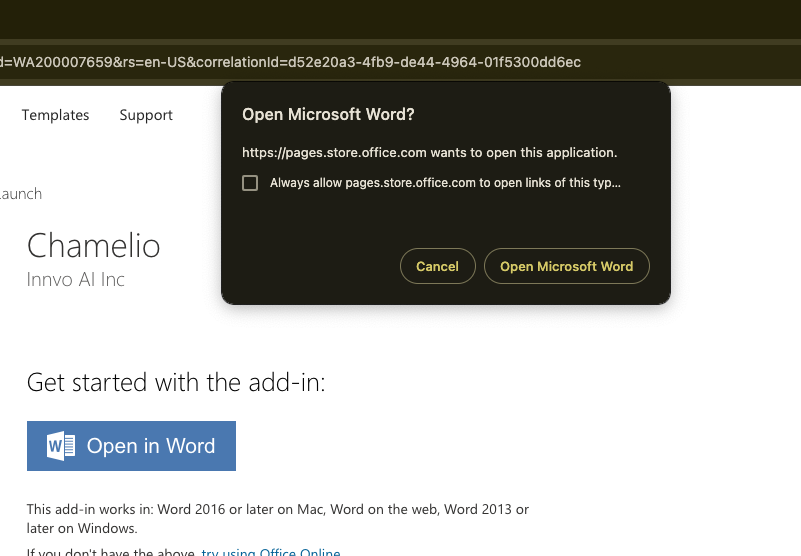
Click the blue "Open in Word" button
When prompted, click "Open Microsoft Word"
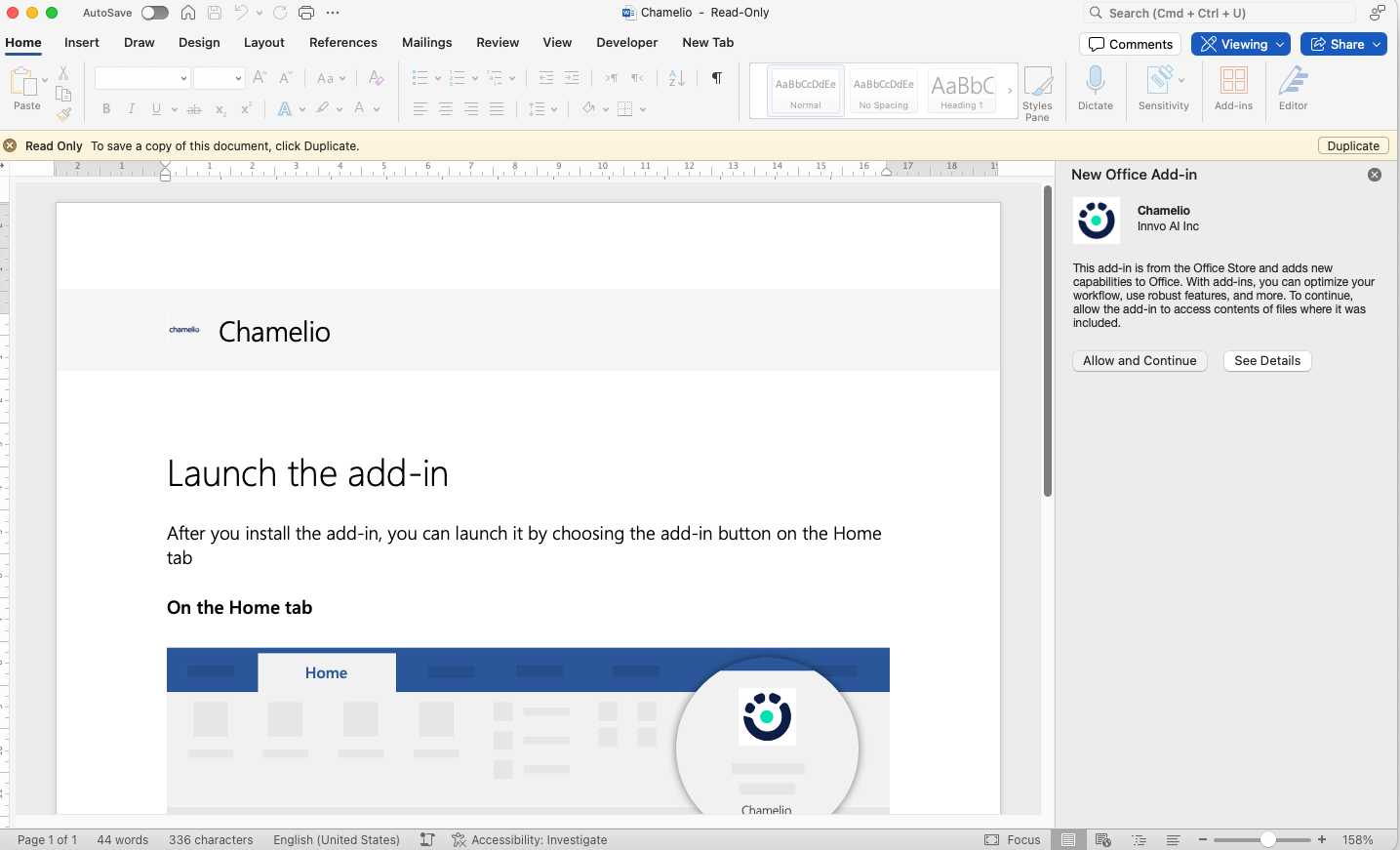
In Microsoft Word:
Look for the right-side panel
Click "Allow and Continue"
Common Issues and Solutions
Before installing, ensure:
You are logged into your Microsoft account, as this is required for all Office add-in installations
Your organization allows Word add-in installations
If you receive an error about organization limitations preventing installation, you can:
Follow the provided video instructions
Forward the instructions to your IT administrator to remove the restriction