Legal Hub
Last updated: August 26, 2026
Legal Hub lets you publish legal documents in a branded public hub, so external visitors can find, view, and download the latest approved versions.
Getting Started
Go to Settings.
Under Features, select Legal Hub.
Select an existing hub, or select New hub to create one.
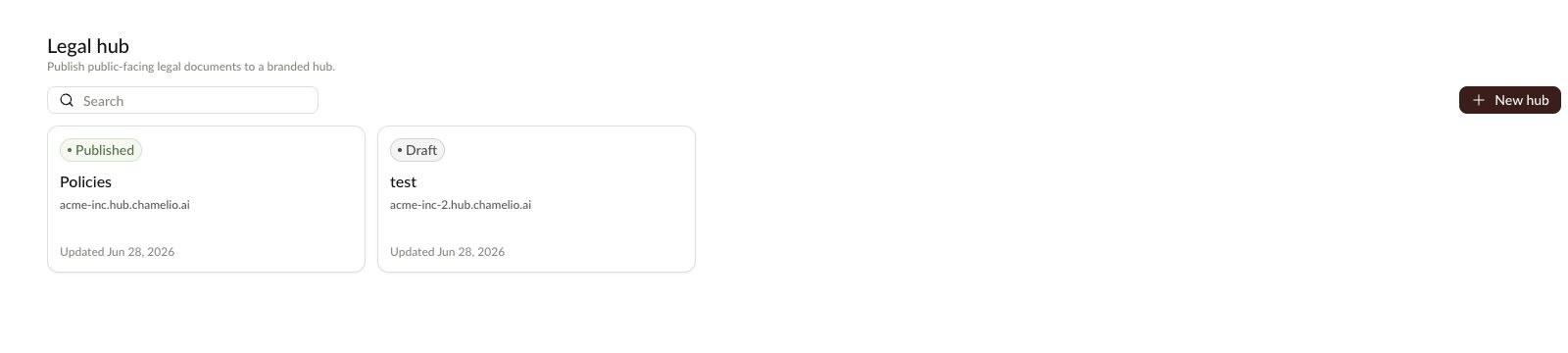
Create a Hub
Select New hub.
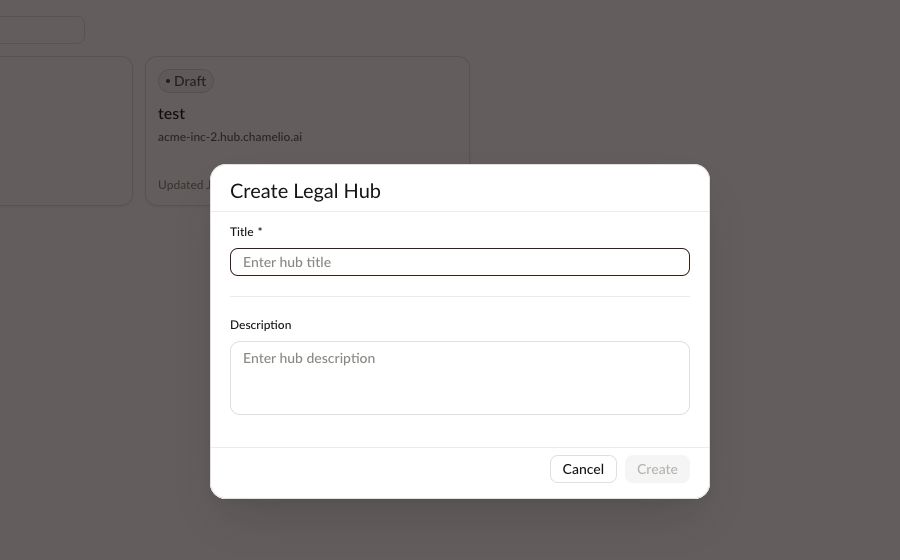
Enter a Title.
Add a Description, if needed.
Select Create.
After the hub is created, you can add documents, update its domain, preview it, and publish it when it is ready.
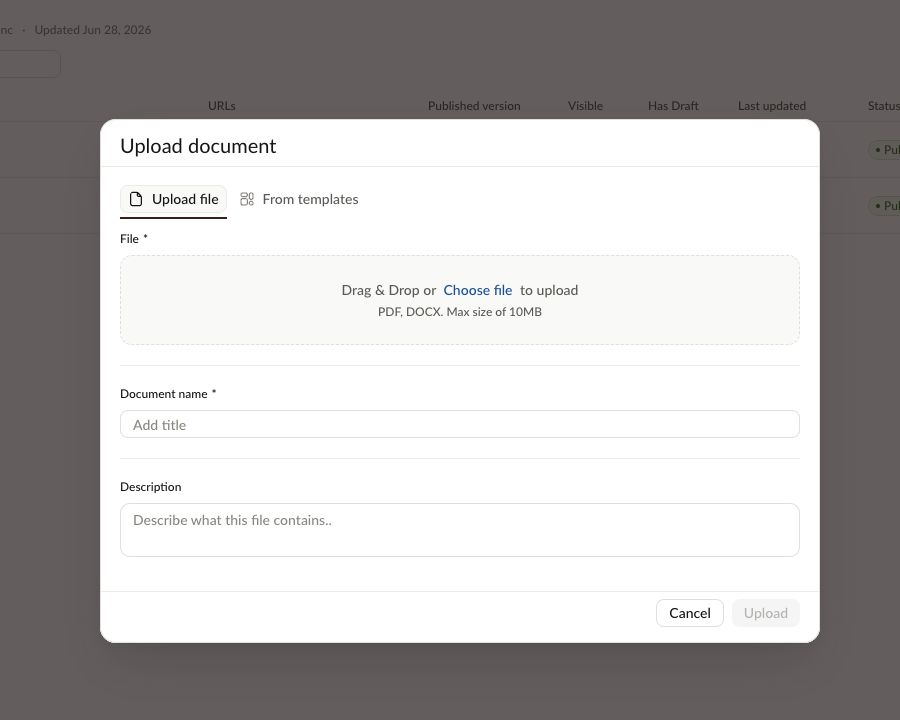
Add Documents
Open the hub.
Select Add document.
Choose how you want to add the document:
Upload file to upload a PDF or DOCX.
From templates to add a document from an existing template.
Enter the Document name.
Add a Description, if needed.
Select Upload or Add from Template.
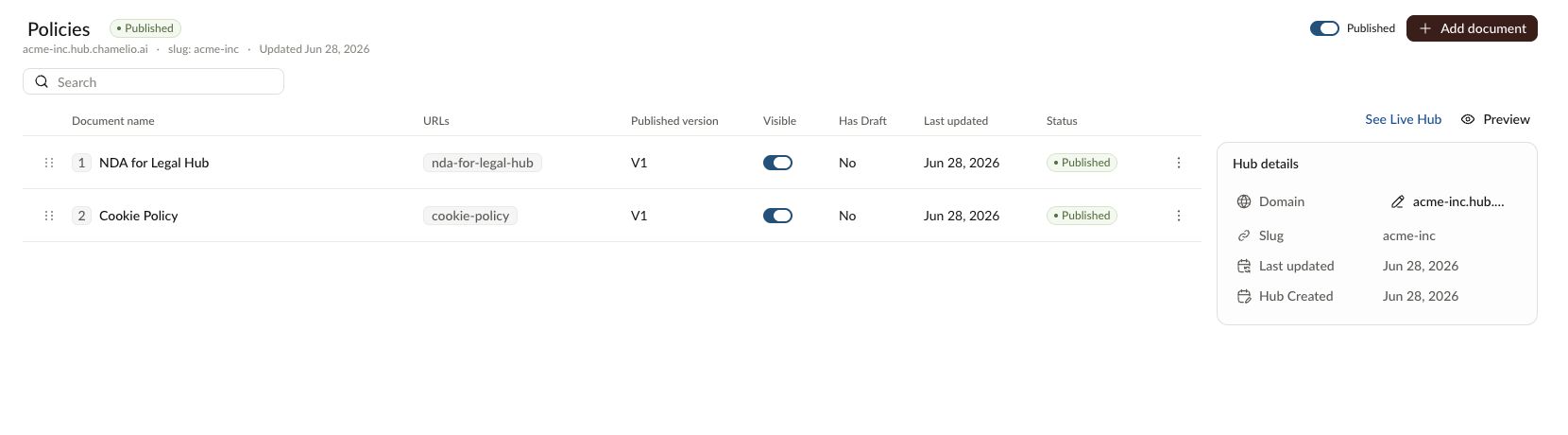
Choose Which Documents Are Visible
Use the Visible toggle to control whether each document appears on the public hub.
Before publishing or sharing the hub, review the document list and make sure only the documents you want visitors to see are visible.
Preview the Hub
Select Preview to review the hub before sharing it externally.
In the preview, check that:
The right documents are visible.
Document names are clear.
The latest published versions are shown.
Download and copy-link options work as expected.
Publish the Hub
Use the Published toggle to make the hub available publicly.
For published hubs, select See Live Hub to open the public version and confirm how it appears to visitors.
Update Hub Details
You can update the hub title directly from the hub page.
To change the public domain, select Edit custom domain, enter the new domain, and select Save Domain.
Changing a hub's custom domain updates the public links for that hub. Before selecting Save Domain, confirm that the new domain is configured and ready to use.
Rename or Remove a Document
Open the document actions menu to manage an existing document.
Select Edit title to rename the document.
Select Delete to remove it from the hub.
Tips
Preview the hub before publishing or sharing links.
Keep document names simple and recognizable for external visitors.
Confirm each document's Visible setting before publishing.
Review domain configuration before changing a live hub's custom domain.