Global Intake Fields
Last updated: July 22, 2026
Global Intake Fields is a shared library of intake fields that live under Settings → Intake Fields, separate from any single flow. Instead of re-typing the same fields like Counterparty Name, Effective Date, or Contract Value every time you build a new Intake step, you define them once in this library and reuse them across any flow. The Fields page lists every global field alongside its type, configuration details, and which flows currently use it, so your team can keep intake forms consistent without rebuilding the same structure from scratch each time.
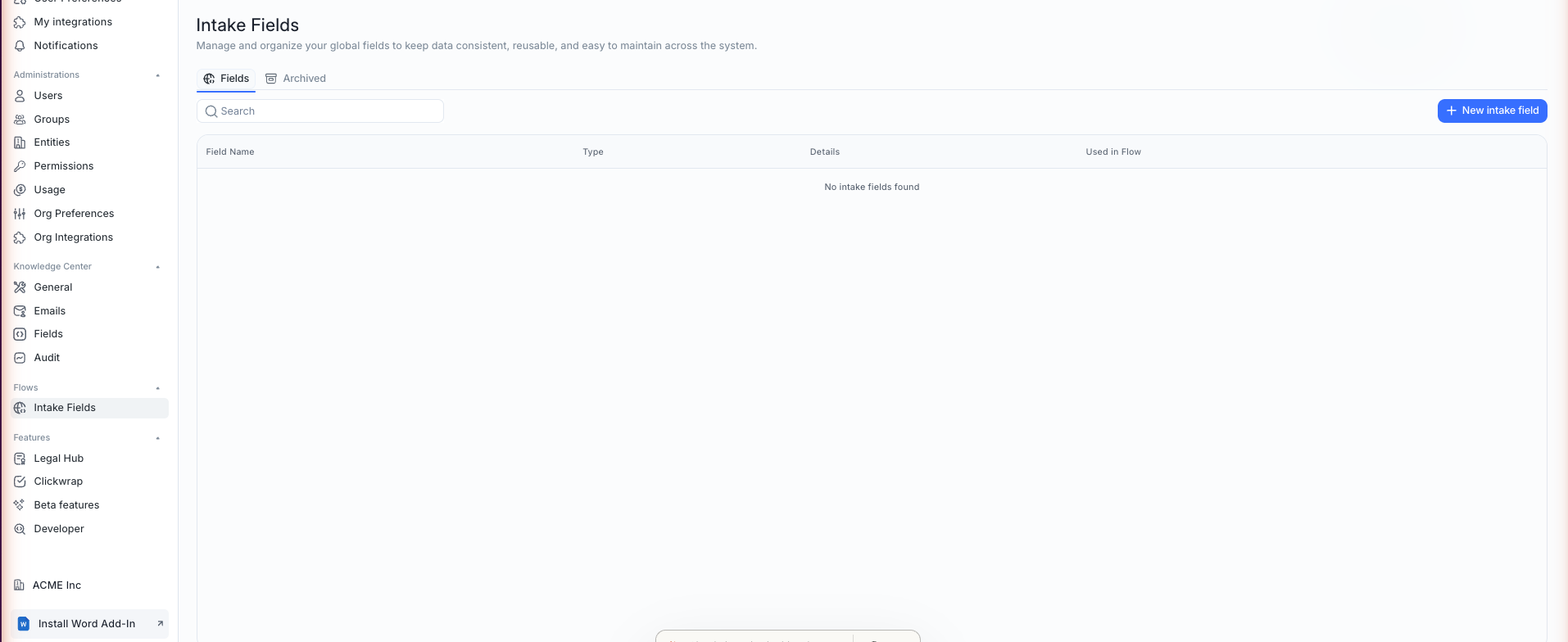
Creating a Global Field
Clicking "New intake field" opens a dialog with two tabs. The Manual Intake Field tab lets you build a field from nothing: give it a name, an optional description, and a type such as Text, Long Text, Date, Number, Boolean, Select, Email, Multi Select, File, or Multiple Files, with Date and Number offering additional formatting options like slashed or international date formats. Two toggles, Mandatory and Read Only, control whether the field must be filled in and whether it can be edited once populated.
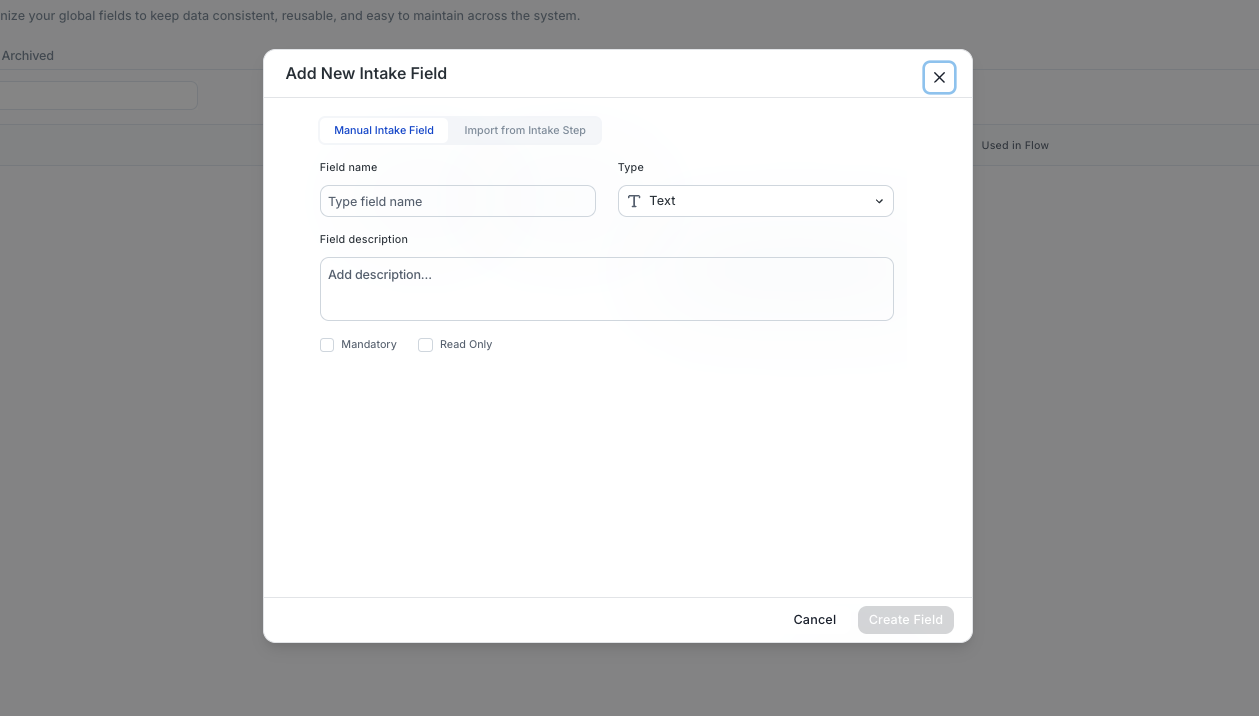
Importing Fields You Already Use
The second tab, Import from Intake Step, is built for teams that already have fields scattered across existing flows. It surfaces every field currently used in an Intake step anywhere in your org, showing its name, description, and the flow (or flows) it appears in, and lets you select one or more to pull into the global library in a single action. This is the fastest way to consolidate fields that were originally created flow-by-flow before the global library existed, rather than recreating each one manually.
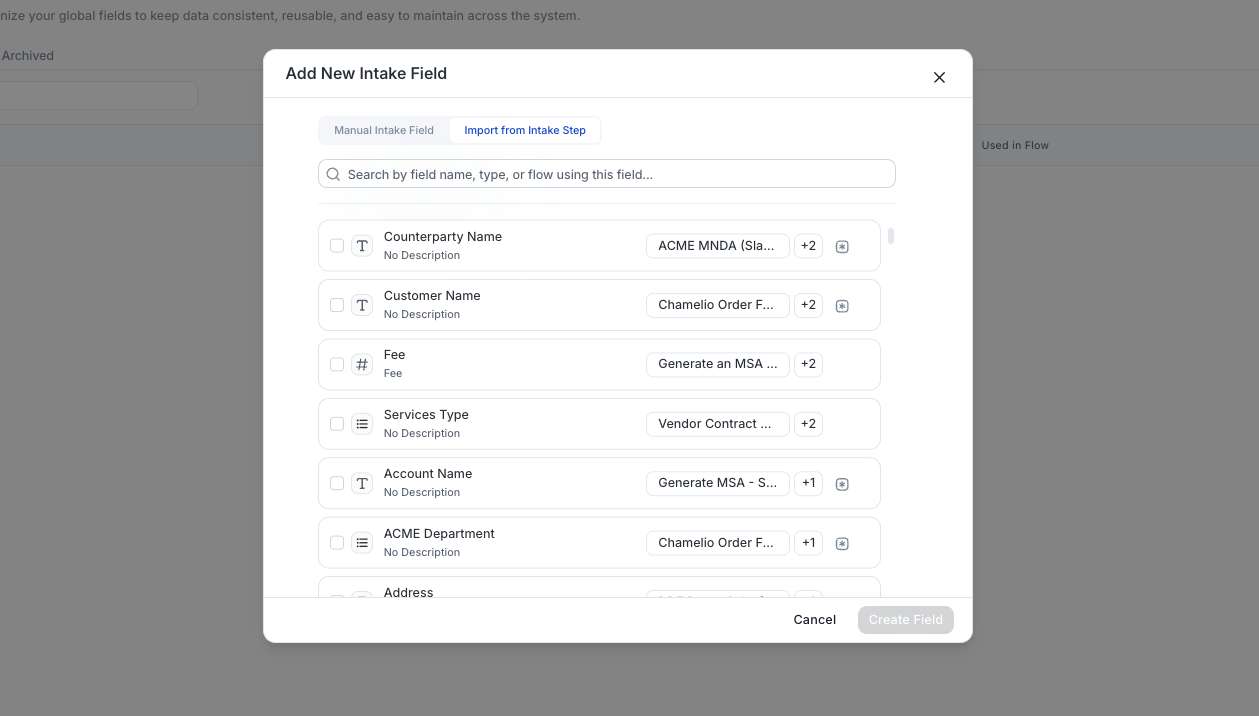
Using Global Fields in Your Flows
Once a field exists in the global library, it becomes available to pick from when configuring the Intake step of any flow, regardless of whether that flow's trigger source is Manual, Slack, Teams, Email, or Salesforce. Selected fields still resolve the same way they always have, becoming available downstream as @Intake.FieldName, so adopting global fields doesn't change how you reference data elsewhere in a flow. It simply changes where the field definition comes from.
Managing and Archiving Fields
The Fields tab shows every active global field, while a separate Archived tab holds fields that are no longer in active use. Archiving a field removes it from the picker without deleting its history, which is useful if a field is retired but you don't want to break older flow versions that still reference it. The main list's search bar and "Used in Flow" column make it easy to check whether a field is safe to archive or still relied upon elsewhere.