Managing Notification Preferences
Last updated: January 18, 2026
The Notifications section in your personal settings allows you to control how and when you receive alerts about activity in Chamelio. These notification settings are personal and apply only to you—they don't affect other users in your organization.
Enabling Notifications
All notifications are controlled by the "Enable Notifications" toggle. Turn this on to receive notifications about important events, and turn it off to mute all alerts.
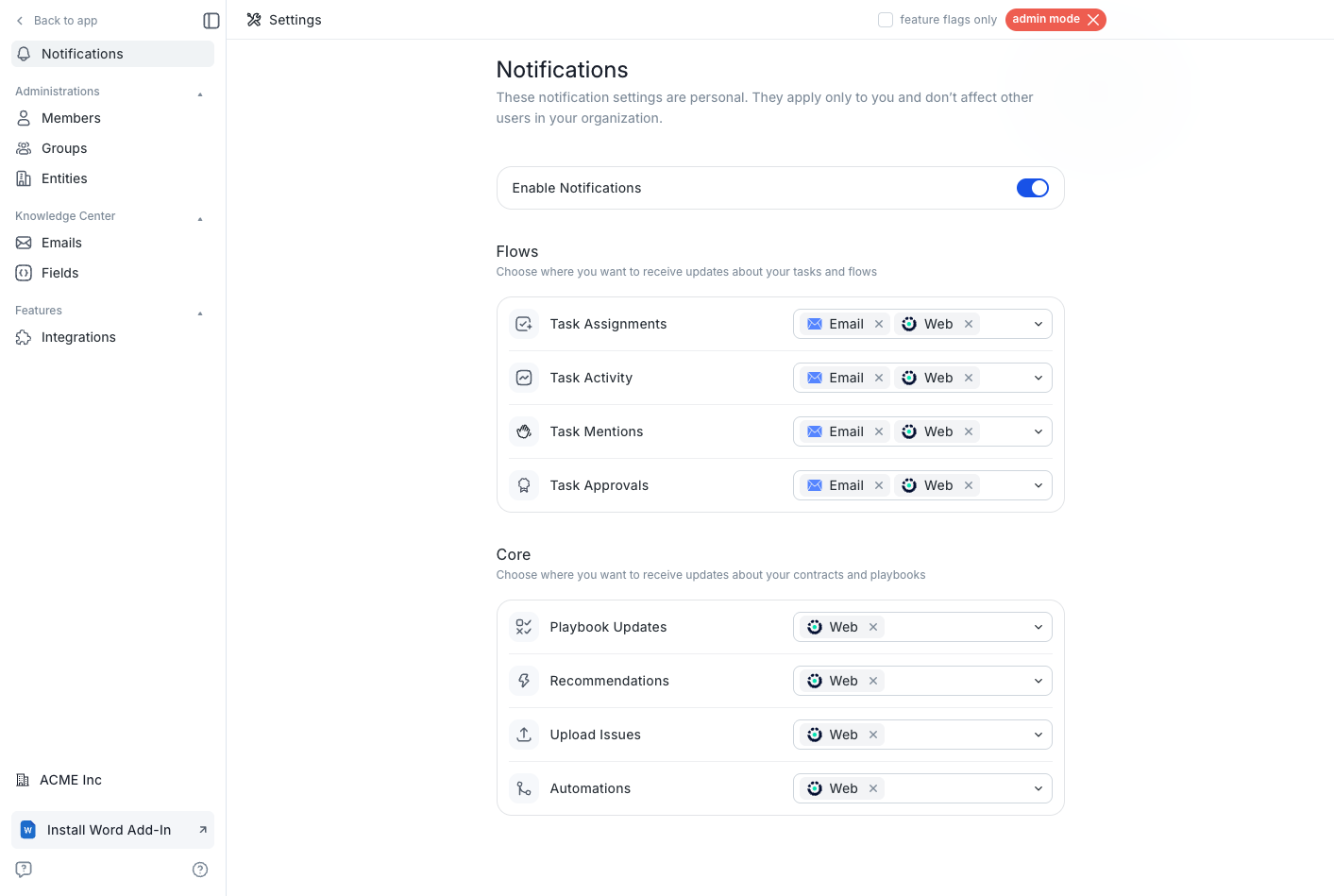
Flows Notifications
Manage how you receive updates about your tasks and workflows:
Task Assignments: Get notified when tasks are assigned to you. Choose to receive notifications via Email, Web, or both.
Task Activity: Stay updated on progress and changes to tasks you're involved in. Select your preferred notification channels (Email, Web, or both).
Task Mentions: Receive alerts when someone mentions you in a task comment or discussion. Choose between Email and Web notifications.
Task Approvals: Get notified when approval requests are pending your action or when approvals you've requested are completed. Select your preferred delivery method.
Core Notifications
These notifications keep you informed about contract and playbook updates:
Playbook Updates: Receive alerts about changes to playbooks in your workspace. Currently set to Web notifications.
Recommendations: Get notified when Chamelio AI generates recommendations based on document analysis. Set to Web notifications.
Upload Issues: Receive alerts when documents fail to upload or when there are issues during the upload process. Set to Web notifications.
Automations: Get notified about automation workflow status and completions. Set to Web notifications.
Customizing Your Preferences
For each notification type, you can select which channels to use:
Email: Receive notifications in your email inbox
Web: See notifications in your Chamelio interface
Slack: Receive notifications as DM from Chamelio in Slack
Teams: Receive notifications as DM from Chamelio in Teams
Some notification types may have limited channel options. Choose the combination that works best for your workflow, balancing staying informed with avoiding notification fatigue.