How to install the Chamelio integration for Microsoft Teams
Last updated: July 8, 2026
Connect Chamelio to Microsoft Teams to bring legal workflows directly into your team’s communication layer. Once connected, you can interact with Chamelio without leaving Teams, streamline collaboration, and keep legal context where work happens.
Overview
The Microsoft Teams integration allows your team to access Chamelio capabilities directly from Teams. This includes triggering workflows, accessing legal knowledge, and collaborating on legal tasks without switching tools.
Key Features
Work inside Teams
Access Chamelio directly from your Teams environment without jumping between platforms.
Faster collaboration
Bring legal context into conversations and reduce back-and-forth between legal and business teams.
Centralized access
Ensure your team interacts with the same source of legal knowledge across tools.
How It Works
The integration connects your Microsoft Teams workspace with Chamelio באמצעות a secure app installation. Once installed and authorized, users can interact with Chamelio within Teams based on the permissions granted during setup.
Functionality
Access Chamelio from within Teams
Trigger workflows and actions directly in conversations
Retrieve legal insights without leaving Teams
Collaborate with legal using shared context
Getting Started
Follow the steps below to install and connect the Chamelio integration for Microsoft Teams.
How to install the integration
Reach out to the Chamelio team to receive the Microsoft Teams app package.
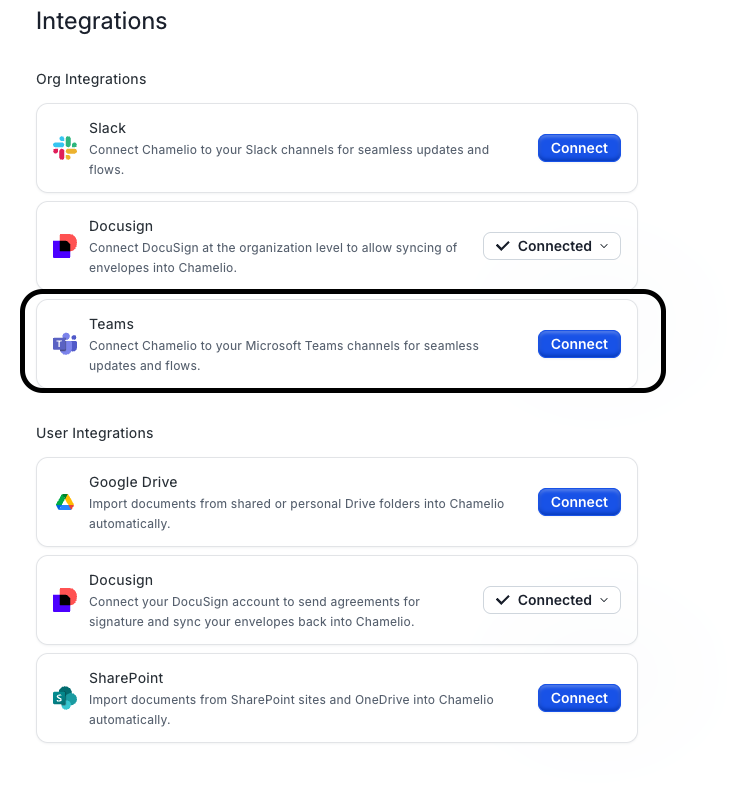
In the Chamelio app (Settings > Integration), click Connect.
Go to the Microsoft Teams Admin Center and navigate to Manage apps.
Upload the app package you received from Chamelio.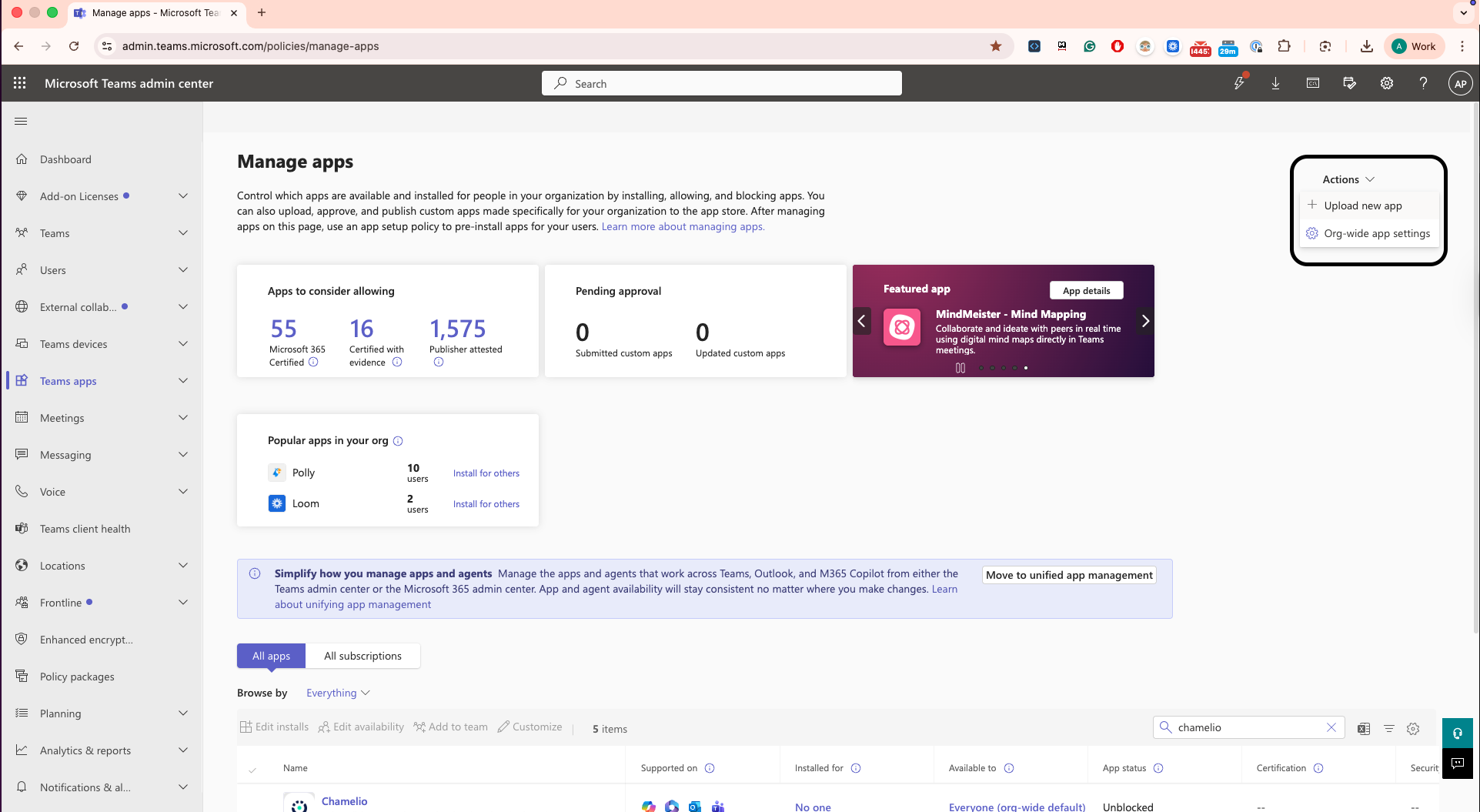
During installation, review and accept the requested permissions.
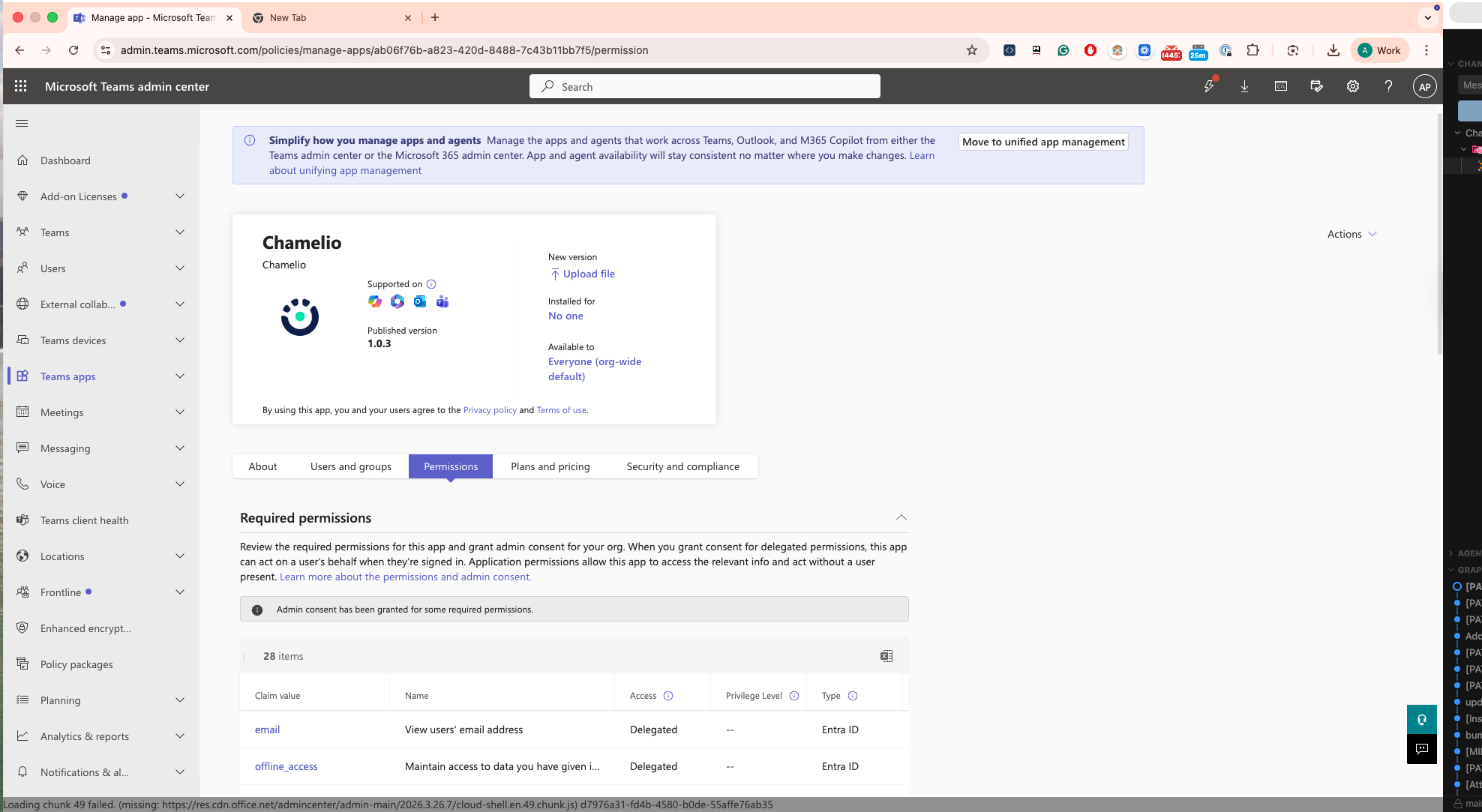
Required Permissions
The integration requires the following permissions to function properly:
TeamMember.Read.All
Channel.ReadBasic.All
TeamsActivity.Send
Chat.ReadWrite.WhereInstalled
ChatMessage.Read.All
User.Read.All
Files.Read.All
Team.ReadBasic.All
Chat.Read.All
Chat.Create
email
offline_access
profile
These permissions enable Chamelio to operate בתוך Teams, support workflows, and provide relevant legal context where needed.