Legal Entities
Last updated: January 18, 2026
The Entities section in Settings allows you to manage all legal entities associated with your organization. This is essential for maintaining accurate records of companies, subsidiaries, and other organizational units within your system.
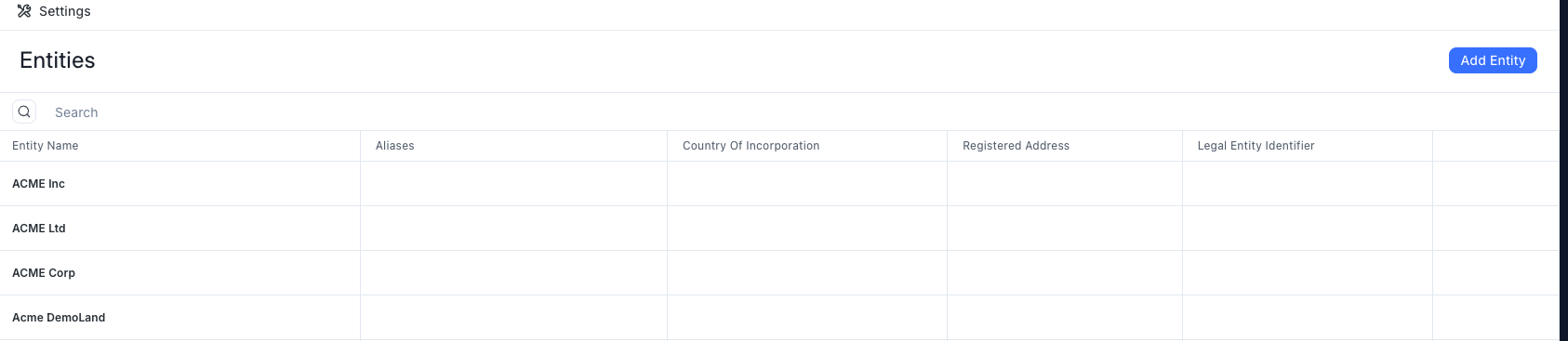
Adding a new entity is simple:
Click the "Add Entity" button in the Entities section
Enter the entity name (for example: "Acme Inc", "Acme Ltd", etc.)
Provide additional information as needed
Aliases: Alternative names the entity is known by (applicable to names in other languages)
Country of Incorporation: Where the entity is registered
Registered Address: The official business address
Legal Entity Identifier: Any unique identifier codes
The Entities page displays all entities in a searchable list, with columns showing each entity's aliases, incorporation details, and registered address. This makes it easy to locate and manage multiple entities across your organization.
Each entity can be edited or deleted from the list, and searching helps you quickly find entities by name or other details. Maintaining accurate entity information ensures that documents and contracts are properly associated with the correct legal organization.