User Groups
Last updated: January 18, 2026
Groups help organize users in your system. The Groups page in Settings allows you to create and manage groups, controlling access and permissions for teams within your organization.
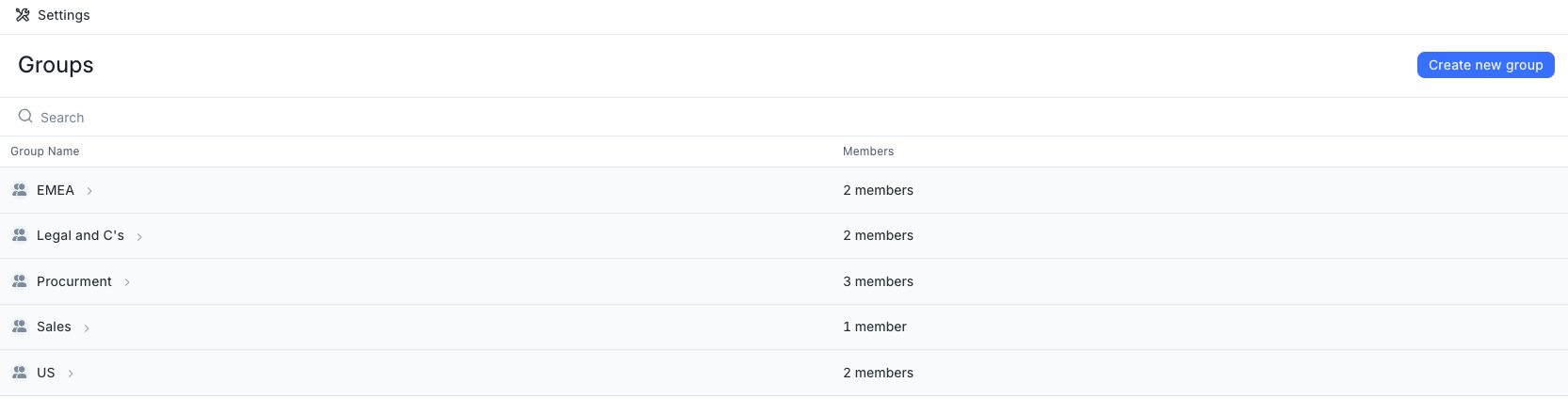
Creating a new group is straightforward:
Navigate to the Groups section in Settings
Click the "Create new group" button
Enter a name for the group
Assign members to the group as needed
Each group displays the number of members it contains, making it easy to see team composition at a glance. You can search for specific groups using the search functionality to quickly find what you're looking for.
Groups can be used to organize teams by department, role, or any other structure that works for your organization. This helps streamline permissions management and document access across your system.